Lets Connect (UK)

Nfc Technology Image

Complete Guide to NFC Technology – Definition, Features & How it for Business Cards?

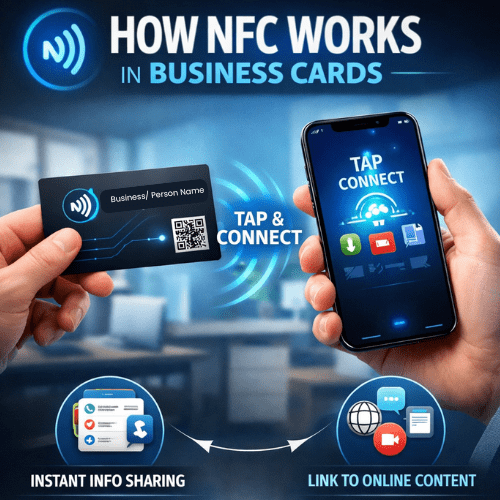
In today’s digital age, Near Field Communication (NFC) technology is transforming the way professionals exchange contact information. With the rise of digital business cards, NFC has become an essential tool for seamless and instant networking. At Let’s Connect Card, we leverage NFC technology to make sharing, updating, and managing contact details effortless. But what exactly is NFC, and how does it work in digital business cards? Let’s dive in! What Is NFC Technology? NFC (Near Field Communication) is a short-range wireless communication technology that allows two devices to exchange data when placed close together (typically within 4 cm or less). NFC is commonly used in: Contactless payments (Apple Pay, Google Wallet) Smart access control systems Public transportation passes Data transfer between devices NFC-enabled digital business cards Unlike Bluetooth or Wi-Fi, NFC doesn’t require manual pairing or a power-hungry connection—it works instantly with a simple tap. How NFC Works in Digital Business Cards At Let’s Connect Card, our NFC-enabled Smart Business Cards work seamlessly with smartphones and other NFC-compatible devices. Here’s how it functions: Tap to Share Instantly Simply tap your Let’s Connect NFC business card against an NFC-enabled smartphone. The recipient’s phone automatically opens your digital business profile, containing your contact information, website, social media, and more. No Apps Needed Unlike some QR-only solutions, NFC works natively on modern smartphones without requiring an app. For those who prefer QR codes, we also offer hybrid NFC + QR Code Business Cards. Real-Time Updates Update your details anytime! Unlike printed cards, our NFC custom business cards let you change your contact info, job title, and social media links in real-time – no reprints needed. Secure & Password-Protected Sharing With Let’s Connect NFC cards, you can password-protect sensitive details or control who sees specific information. This is ideal for industries that handle confidential data. Eco-Friendly & Cost-Effective No more paper waste! A single NFC digital business card replaces thousands of paper cards, making it eco-friendly and budget-friendly long-term. Benefits of NFC Digital Business Cards Quick & Effortless Sharing – Tap to instantly share your profile. Highly Professional – Make an impression with cutting-edge tech. Customizable Templates – Choose from 30+ professional designs. Works on Any Device – Compatible with iPhone, Android & tablets. Secure & Private – Control what information you share. Eco-Friendly Networking – Save trees by ditching paper cards. Why to Choose Lets Connect for Your NFC Business Card? At Let’s Connect Card, we provide next-gen NFC business cards with: Advanced customizations – Add logos, social media, website links & more. Seamless sharing – No apps needed! Just tap & connect. 30+ templates – Match your card to your brand identity. Secure networking – Password-protected sharing for confidential contacts. Affordable pricing – One-time cost, no recurring printing fees. Get Your NFC Digital Business Card Today! Ready to upgrade your networking game? Say goodbye to outdated paper business cards and embrace the future of digital networking with Let’s Connect NFC business cards. Order Now & Start Networking Smarter!
Google Review NFC Business Cards- The #1 Powerful Tool for Exceptional Customer Engagement

Customer Reviews – One of the most powerful marketing tools, playing a major role in building trust and attracting new clients in today’s digital world. However, many satisfied customers simply forget to give a review post-visit. This is where Google Review Business Cards powered by Near Field Communication and QR technologies become extremely useful. Just with a simple tap/ scan their smartphone, smart card allows customers to add their valuable review instantly. Various businesses including cafes, restaurants, salons, and many service providers using these Google review cards for strengthening a brand’s digital presence⭐. Google Review Cards for Business – Boost Online Reputation Instantly In today’s digital-first world, Google reviews play a huge role in whether a customer chooses you or your competitor. With a Google Review Business Card from Lets Connect, you can encourage happy customers to leave positive feedback instantly – boosting your local SEO, improving trust, and attracting more business. Why Your Business Needs a Google Review Business Card? Google reviews are the modern form of word-of-mouth marketing. A Google Review NFC Card will help you: Increase positive reviews – Direct customers straight to your review page. Improve local search rankings – More reviews = higher visibility on Google Maps. Enhance trust & credibility – Strong ratings attract more customers. Simplify feedback – NFC tap or QR scan removes friction. Stand out from competitors – Show a stronger online presence backed by testimonials. Key Features of the Lets Connect Google Review Card These Google Review Business Cards help businesses collect more feedback and improve their online presence on platforms like Google. Here are the key features of Google Review business cards: 1. NFC & QR Code Integration Works like our Smart Business Card (NFC + QR Code) — customers simply tap or scan to access your Google review page instantly. 2. Custom Branding & Design Full personalisation with your logo, brand colours, and style — similar to our Custom NFC Business Cards. 3. Mobile-Friendly & Universal Compatibility Optimised for all smartphones — no apps required. 4. Secure & GDPR-Compliant Built with privacy and security in mind, following the same standards as our Digital Business Cards. 5. Cost-Effective & Sustainable A paperless solution that works like our Eco-Friendly Business Cards. How It Works? Tap or Scan – Customer taps your NFC card or scans the QR code. Instant Review Page Access – Google review form opens instantly. Leave a Review – Customer rates and writes feedback in seconds. Industries That Benefit Most Restaurants & Cafés – Pair with our Hospitality Business Cards to gain more diners. Retail & Services – Works alongside Small Business NFC Cards to boost repeat customers. Freelancers & Consultants – Build authority with authentic reviews. Hotels & Travel – Link directly from Travel Industry Business Cards to increase bookings. Healthcare & Wellness – Strengthen your patient trust. Customer Testimonials “Since using Lets Connect, our Google reviews have tripled, and foot traffic has increased!” – James L., Restaurant Owner “The easiest way to get customer feedback — our online presence has improved dramatically!” – Rachel P., Salon Owner “More reviews, more credibility, more customers. Highly recommended!” – Mark D., Auto Repair Shop Owner Google Review Business Card vs Traditional Review Requests Features Google Review Business Card Traditional Review Card Review Process Instant via NFC & QR Manual & time-consuming Customer Engagement Easy & seamless Often ignored Local SEO Boost High Minimal Sustainability 100% Paperless Printed slips Conversion Rate High Low How to Order? Choose Your Design – From our Google Review Card options. Personalise – Add your business name, logo, and brand colours. Checkout – Fast UK & worldwide delivery. Start Collecting Reviews – Hand it to customers and watch your online presence grow. Google Review Business Cards FAQs Q: Do customers need an app? No. Works with NFC tap or QR scan on any smartphone. Q: Can I customise my design? Yes — full branding available for any business type. Q: Is this suitable for all industries? Absolutely — from restaurants to online service providers. Final Call to Action Take your customer engagement and online reputation to the next level. Order your Google Review Business Card today and start collecting more 5-star reviews effortlessly.

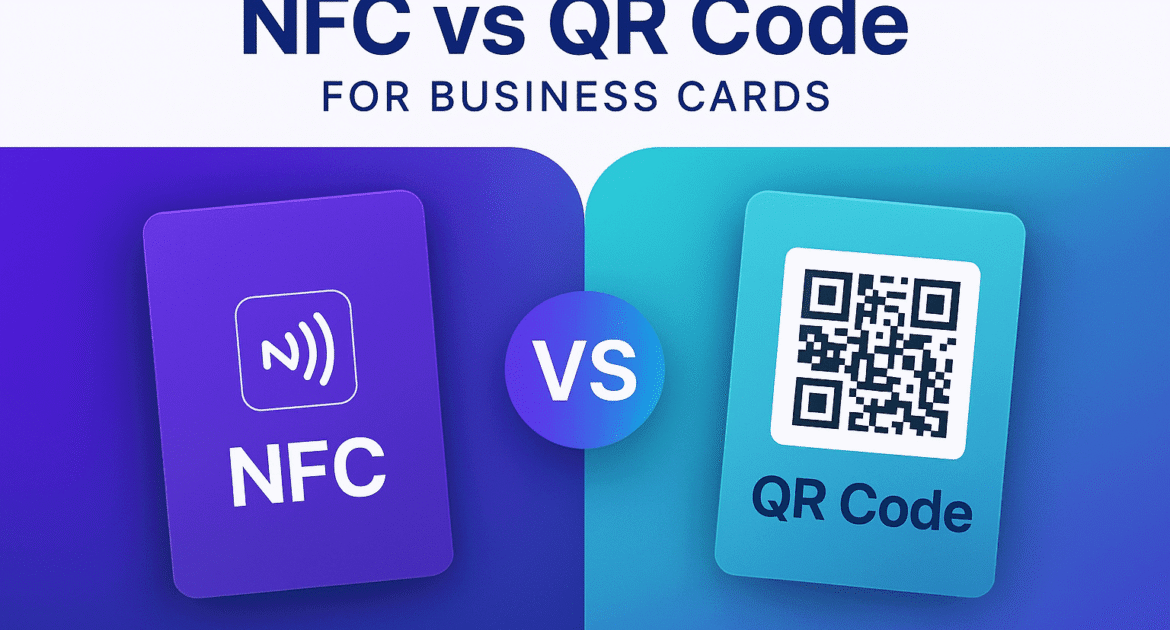
Nfc Vs Qr Code Image

NFC vs QR Code for Business Cards: Which One Should You Choose?

Both NFC Business Cards and QR Code Business Cards offer contactless sharing, but NFC provides tap-based, app-free interaction while QR codes offer broader device compatibility. NFC is ideal for premium, high-speed networking, while QR codes are cost-effective and universal. Choose NFC Vs QR Code based on the audience, budget, and branding goals. NFC Vs. QR Code Business Cards As digital networking evolves, professionals face a key decision: Should you use NFC or QR code business cards? Both technologies allow seamless, contactless sharing of your profile, but each comes with its own strengths. In this guide from Lets Connect, we’ll break down the pros, cons, and ideal use cases to help you choose the right smart business card solution. Best part? All Lets Connect Smart Cards come with both NFC and QR code functionality built-in, giving you the power to connect with anyone, anywhere—regardless of the device they use. NFC Vs QR Code – Quick Comparison Table Feature NFC Business Card QR Code Business Card Interaction Tap-to-connect Scan-to-view Device Compatibility Most modern smartphones All smartphones with camera Speed Instant (1 second) Slightly slower (2–3 seconds) Appearance Sleek, tech-forward Versatile & printable App Required No No Reusability Yes Yes Offline Functionality Yes (stored locally) Requires connection Cost Slightly higher Low-cost to free Best For Networking, brand impact Broad accessibility, cost savings What Is an NFC Business Card? An NFC (Near Field Communication) Business Card lets users share contact information by simply tapping the card to a compatible smartphone. It works just like contactless payment. Near Field Communication Business Cards – Key Features Tap-based contactless sharing No app needed Instant access to full digital profile What Is a QR Code Business Card? A QR Code Business Card contains a printed or digital QR code that leads to your profile when scanned using a smartphone camera. QR Business Cards Key Features Works with any smartphone Easy to share online or print Ideal for menus, events, and flyers Advantages of NFC Business Cards Frictionless Networking – Tapping is faster and more intuitive than scanning. Premium Brand Experience – Ideal for executive, luxury, or tech-forward presentations. Reusable & Durable – Embedded in high-quality materials that don’t degrade. Works Offline – Data can be stored locally and accessed without internet. Advantages of QR Code Business Cards Universally Accessible – Works with any smartphone camera. Budget-Friendly – Lower cost makes it ideal for startups, students, and bulk use. Easy to Print Anywhere – Add your QR code to flyers, invoices, banners, or posters. Editable Links – Dynamic QR codes from Lets Connect allow updates even after printing. Which One Should You Choose? – QR Vs NFC Choose NFC if: You want a premium, modern networking tool Your audience has modern smartphones Brand experience is a priority Choose QR Code if: You want mass distribution or low-cost entry You plan to use it in print material or events Your audience may not be tech-savvy NFC Business Card Vs QR Code FAQs Are NFC cards better than QR cards?They offer different benefits. NFC is faster and sleeker, while QR codes are more universally accessible and affordable. Can I have both in one card?Yes! All Lets Connect Cards combine NFC and QR codes for the best of both worlds. Do I need an app to use either?No apps required for either technology. Are both environmentally friendly?Yes. Both are reusable, paperless alternatives to traditional business cards. Final Conclusion Looking for the best of both worlds?Lets Connect Smart Business Cards come with both NFC + QR code technology to ensure no opportunity is missed. Shop Smart Business Cards Now

Digital Business Card Landing Page Must Have Elements

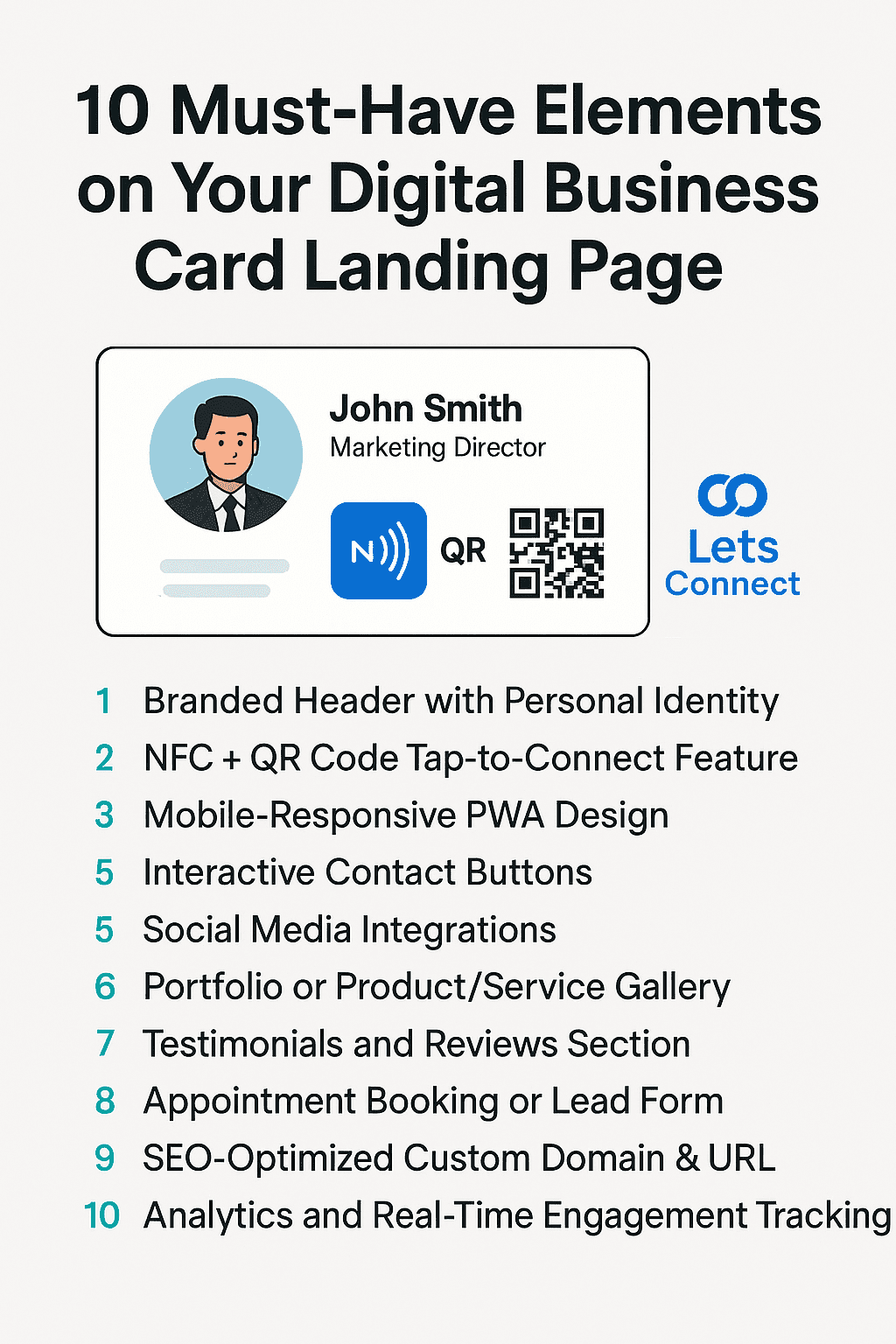
10 Must-Have Elements on Your Digital Business Card Landing Page

A high-converting Digital Business Card Landing Page should include a personalized brand header, NFC/QR functionality, social links, testimonials, service portfolios, appointment booking, mobile-first design, and SEO-optimized custom domains. These elements drive engagement, enhance trust, and improve digital networking outcomes. Digital Business Card Landing Page Structure In today’s contactless, mobile-first world, digital business card landing pages have replaced traditional paper handouts. But not all digital cards are created equal. If you want to leave a memorable impression, generate leads, and boost professional trust, your landing page needs strategic optimization. This guide outlines the 10 must-have features for your digital business card landing page, based on best practices from Lets Connect – the UK’s leading provider of NFC Business Cards and smart identity solutions. 1. Branded Header with Personal Identity Your header is the new handshake. Include: High-resolution profile photo or company logo Full name and professional title A concise tagline (e.g., “Helping Startups Build with Confidence”) Why it matters: This area sets the tone and builds instant trust. Lets Connect allows users to fully customize this section, with dynamic themes and custom domain integration. 2. NFC + QR Code Tap-to-Connect Feature The engine behind smart networking. Include: NFC tap functionality QR code placement with a short CTA (“Scan to Connect”) Dual compatibility for iOS and Android Why it matters: These features provide frictionless connections without apps. Every Lets Connect Tap Business Card is built for this. 3. Mobile-Responsive PWA Design Looks and behaves like an app. Include: Mobile-first design (fast loading, no zooming) Works as a PWA (Progressive Web App) Add-to-home screen prompt Why it matters: Mobile-first pages have higher engagement rates. Lets Connect landing pages are PWA-enabled by default. 4. Interactive Contact Buttons Make reaching you effortless. Include: Tap-to-call One-click email WhatsApp / Telegram / Calendly buttons Why it matters: Reduces friction and improves conversions. Keep these above the fold. 5. Social Media Integrations Your trust signals, on display. Include: Linked icons for LinkedIn, Instagram, YouTube, and Facebook Optional embeds (YouTube video intro or Instagram carousel) Why it matters: Builds authenticity and social proof. Use: LinkedIn Business Cards Instagram Business Cards 6. Portfolio or Product/Service Gallery Turn views into interest. Include: Visuals of past work Product images, reviews, or use cases Scrollable gallery or embedded reels Why it matters: 70% of buyers engage more with visual content. Lets Connect supports video and Instagram embeds in profile templates. 7. Testimonials and Reviews Section Proof that sells. Include: Google Review Card embed or Trustpilot badge 1–3 short client quotes with names and logos Why it matters: Builds trust and increases conversion by up to 34%. 8. Appointment Booking or Lead Form Drive action, not just attention. Include: Calendly, Google Calendar, or integrated booking form Lead capture form (name, email, interest) Why it matters: Turns your page from passive to conversion-ready. 9. SEO-Optimized Custom Domain & URL Look professional, rank better. Include: Branded domain (e.g., yourname.cards or yourbiz.page) SEO-friendly URL path (/about, /book-call, /contact) Why it matters: Lets Connect enables custom domain mapping to improve search visibility. 10. Analytics and Real-Time Engagement Tracking Smart data for smart networking. Include: Click tracking Profile visit data Conversion metrics Why it matters: Data-driven networking = faster ROI. Lets Connect provides these insights in real time. Virtual eCard Landing Page – FAQs What is a digital business card landing page?A mobile-optimized personal page showcasing your contact details, portfolio, social profiles, and interactive elements like QR codes and NFC tap — all shareable with a single tap or scan. Do I need an app to use Lets Connect?No. Lets Connect works with any smartphone browser. Can I link my digital card to my own domain?Yes. Lets Connect supports branded domain linking. Are digital business cards eco-friendly?Absolutely. They’re reusable, paperless, and reduce waste. Can I track engagement on my digital card?Yes. You can monitor views, clicks, and conversions via the Lets Connect dashboard. Final Conclusion If your digital business card doesn’t include these 10 must-haves, you’re missing out on leads, visibility, and brand impact. Upgrade your digital identity with Lets Connect NFC Business Cards – where networking meets innovation. Explore NFC Business Cards Now

Paper Business Cards Are Dead

Why Paper Business Cards Are Obsolete in 2026 & Future?

Paper business cards are becoming obsolete in 2026 due to digital transformation, sustainability concerns, poor ROI, and limited functionality. Smart alternatives like NFC Business Cards and QR Code Business Cards offer real-time updates, analytics, and seamless contactless sharing. Introduction Once the go-to tool for professional networking, paper business cards are rapidly becoming a thing of the past. In 2026, the shift toward smart, digital alternatives is not just a trend – it’s a necessity. With advancements in contactless technology, increased demand for eco-friendly practices, and the dominance of mobile-first communication, it’s time to rethink your networking tools. Here’s why paper business cards are officially obsolete – and what forward-thinking professionals are using instead. The Digital Shift Is Inevitable In a world dominated by smartphones, cloud software, and digital-first experiences, physical cards feel outdated. Business professionals expect instant, interactive, and mobile-compatible solutions. Outdated: Static information Easy to lose No way to track engagement Upgraded with LetsConnect: Tap-to-share NFC Cards or scannable QR Code Cards Analytics and engagement tracking Update anytime, from anywhere Sustainability Matters Shocking Stats: Over 10 billion business cards are printed annually 88% are thrown away within a week Switching to Digital Business Cards helps reduce paper waste, carbon emissions, and ink usage. Lets Connect offers a fully reusable alternative that supports eco-conscious branding. No ROI from Paper Cards Traditional cards don’t convert. They sit in drawers or end up in bins. No analytics. No feedback. No follow-up. With Lets Connect Smart Cards, you get: Real-time insights Click tracking Instant lead capture This is networking with measurable ROI. Modern Tech Requires Modern Tools Smartphones now dominate professional interaction. Your paper card can’t: Link directly to your portfolio Connect to LinkedIn or WhatsApp Schedule a meeting in one tap Digital business cards like our Pro Business Cards do all of this and more, transforming how contacts engage with you. Contactless Expectations Post-COVID Even post-pandemic, hygiene matters. Contactless networking is now a permanent professional norm. Digital cards = safer, smarter, and cleaner. Personalization & Live Updates Paper cards are static. If your job title, number, or brand changes, you have to reprint everything. With Lets Connect: Update your card in real-time Toggle sections on or off Add new links, services, or promotions instantly 2026 Trends That Make Paper Cards Obsolete NFC + QR Integration – Now standard on modern smart cards Custom Domains – Replace generic URLs with branded profiles Analytics Dashboards – Know who clicked what, and when App-free Access – No downloads needed Lets Connect leads this innovation with dynamic NFC and QR business cards. Why Paper Business Cards Dead? – FAQs Are paper business cards still effective?Not in 2026. They lack interactivity, real-time updates, and tracking. Why are digital business cards better?They’re cost-effective, eco-friendly, trackable, and customizable. Do people still use paper business cards?Some do, but adoption of smart cards is growing rapidly due to digital convenience. Can I replace my paper card with Lets Connect?Yes. You can switch to a fully digital, reusable smart card with NFC + QR technology. Final Conclusion Say goodbye to waste, missed opportunities, and static contact info. Upgrade to a smart digital business card from Lets Connect — and redefine the way you network in 2026.

Business Cards For Networking Events Img

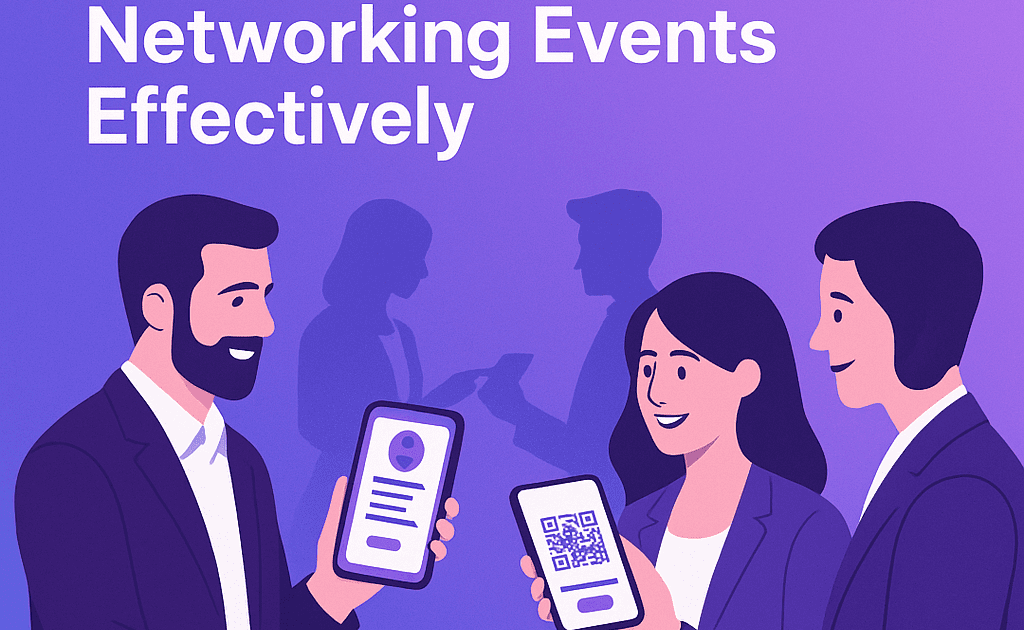
Pro Tips to Use Digital Business Cards at Networking Events Effectively

Using digital business cards at networking events enhances engagement, saves time, and provides trackable results. With features like NFC tap, QR scan, and live profile updates, you can connect instantly, collect leads, and make memorable impressions. Learn how to make effective usage of business cards for networking events, tips and tricks revealed here. Digital Business Cards At N/w Events In the fast-paced world of networking events, conferences, and trade shows, first impressions matter. And in 2025, that first impression is likely made with a tap or scan. Digital business cards have revolutionized how professionals exchange information. Whether through NFC or QR code, platforms like Lets Connect make sharing your brand, portfolio, and contact details easier and smarter. Here’s how to use your digital business card effectively at networking events to maximize connections and follow-ups. 1. Prepare Your Card Before the Event Before walking into a networking space: Update your photo, title, and company logo Add recent achievements, links, or case studies Ensure your contact buttons (call, email, WhatsApp) are working Link your LinkedIn and Instagram profiles With Lets Connect Digital Cards, you can update your profile in real time and even customize layouts per event. 2. Save Your Card to Your Home Screen Install your card as a PWA-enabled profile on your mobile phone. Why? Faster access = smoother interaction No need to search your inbox or bookmarks Looks like an app, runs like a web profile 3. Use NFC or QR to Share Instantly Whether you carry a Tap Business Card or display your QR Code Business Card: Hold your card near the recipient’s phone to trigger your profile Show your QR code for them to scan Share without any apps or downloads 4. Offer Value in the First 10 Seconds Instead of just saying “Here’s my card,” try: “Scan this to check my portfolio.” “Tap this to save my contact and schedule a meeting.” “Here’s my profile with case studies from recent work.” 5. Collect Leads Effortlessly Use integrated forms or WhatsApp on your card to gather: Names Emails Company details Follow-up preferences You can also embed Google Forms or Calendly into your Pro Digital Business Card. 6. Track Engagement Post-Event Unlike paper cards, smart cards let you see: Who clicked your profile Which links were opened When and where scans/taps happened Use Lets Connect Analytics to optimize future outreach and segment leads. 7. Follow Up With Personalization The real power of digital networking is in the follow-up. Use the captured data to: Send a tailored email Reference exactly what they showed interest in Share your Calendly booking link for a call Bonus Tips Carry a physical NFC Business Card as a conversation starter Use a branded lanyard or badge QR code Add your profile link to the event app or virtual booth Leverage Google Review Cards if you’re a service provider Business Cards for Networking Events – FAQs Can I use digital business cards without internet?Yes. NFC works offline. QR codes need internet to load the page. Do attendees need an app to scan or tap?No. Everything is app-free with Lets Connect. What makes business cards for networking events better?They’re faster, trackable, updateable, and eco-friendly. Can I see who opened my profile?Yes. Lets Connect provides real-time analytics. Final Conclusion Maximize every handshake, tap, and scan. With Lets Connect Smart Business Cards, your next event could generate more leads, faster connections, and stronger impressions than ever before. Create Your Smart Business Card Now

Digital Business Cards Roi

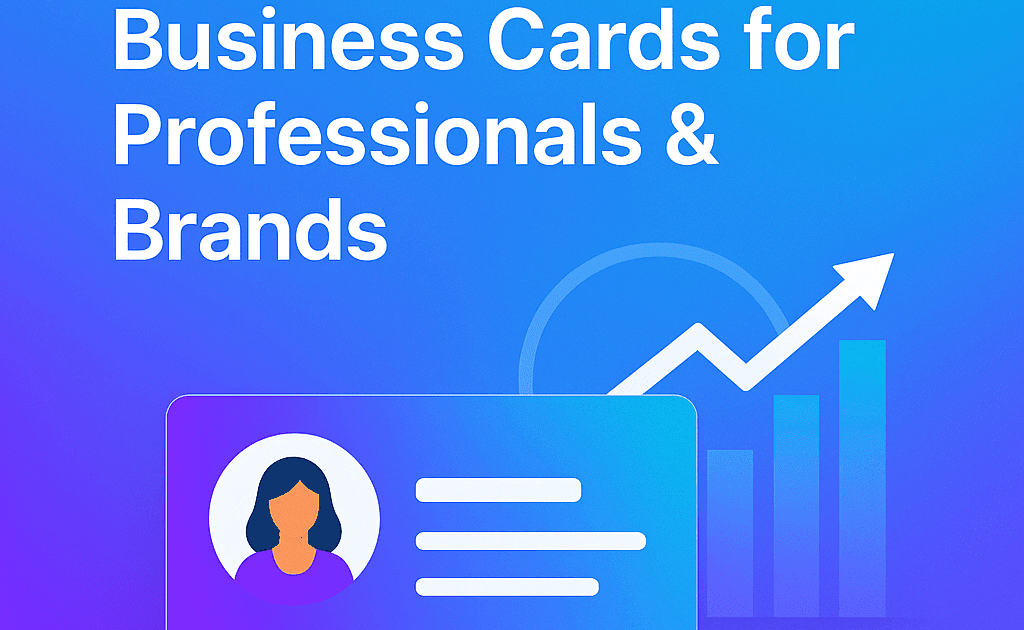
The ROI of Smart Business Cards for Professionals & Brands

Smart business cards are no longer just a convenient networking tool – they’re an investment with measurable returns. By lowering costs, increasing conversions, and providing trackable engagement, they give professionals and brands a performance advantage. Digital Business Cards ROI refers to the value and benefits businesses gain compared to the cost of using NFC+QR business cards. Unlike traditional paper cards, digital cards provide measurable results such as increased connections, easier sharing, and better brand visibility. Return on Investment of Digital Business Cards Paper business cards have always been a cost center. Smart business cards flip that model – turning networking into an ROI-positive marketing channel. This guide breaks down how LetsConnect helps professionals and brands see real, long-term returns from their digital business cards. 1. Say Goodbye to Printing Costs Traditional visiting cards require the frequent printing and reprinting whenever your details change. However digital business cards eliminate these recurring costs because you can update information instantly without printing new cards. Traditional Cards: £20–£50 per box. Frequent reprints for job or branding changes. Waste and high reordering frequency. Smart Cards: One-time setup, unlimited shares. Fully editable online—no reprints. Reusable for years. Estimated Savings: 70–90% over 2–3 years. 2. Turn Every Share Into a Conversion Digital business cards can be shared through QR codes, NFC taps, email, social media, or messaging apps, allowing you to connect with more people quickly. This increases the chances of generating leads and business opportunities. Smart cards include: Action buttons: Call, WhatsApp, Book a Meeting Portfolio or demo links Social media integrations Calendar scheduling With Dynamic Business Card templates, you guide prospects straight into your sales funnel. 3. Trackable Analytics = Smarter Marketing Trackable analytics allow businesses to measure engagement, make smarter marketing decisions. Unlike paper business cards, you can measure: Profile views Link clicks Popular CTAs Time of interaction The Lets Connect analytics dashboard helps you refine content, CTAs, and follow-ups for better conversion rates. 4. Build Stronger, Data-Driven Relationships Data-driven insights help businesses understand how people interact with their digital business cards. Knowing what a contact clicked allows for tailored follow-ups. Realtors can track listing interest Sales reps can send targeted offers Event marketers can measure booth performance Related read: Google Review Business Card 5. Strengthen Brand Image & Sustainability A digital card can include logos, social media links, videos, portfolios, and websites, helping you present your brand in a more professional and interactive way. Tech-forward Environmentally responsible Committed to a frictionless user experience They also align with green marketing goals by replacing paper waste. The digital business cards ROI comes from cost savings, better brand visibility and improved networking. 6. Optimize Team & Enterprise Use For companies and agencies: Maintain brand consistency across all team profiles Bulk update employee details Track team-level analytics for performance insights Perfect for Pro Business Card packages. 7. Lifetime ROI, Not One-Off Spend Paper cards are often discarded within days. A smart card continues to generate leads long after an event – because it’s always in your client’s pocket. FAQs of Digital Business Cards ROI Are smart business cards worth it?Yes – they save money, increase conversions, and give measurable data. How do they improve smart business cards ROI?Through real-time edits, analytics, and direct lead capture. Can I use them for teams?Yes – bulk and enterprise solutions are available. Do they need an app?No – just tap or scan to connect. Final Conclusion Your business card should be more than a piece of paper – it should be a measurable performance tool. Overall, investing in digital business cards is a smart and cost-effective decision for modern professionals and businesses as well. They not only streamline networking but also enhance brand presence, making them a valuable tool for long-term business growth. 👉 Explore the Digital Business Cards ROI and see how every connection can become a conversion.

Digital Business Card Mistakes To Avoid

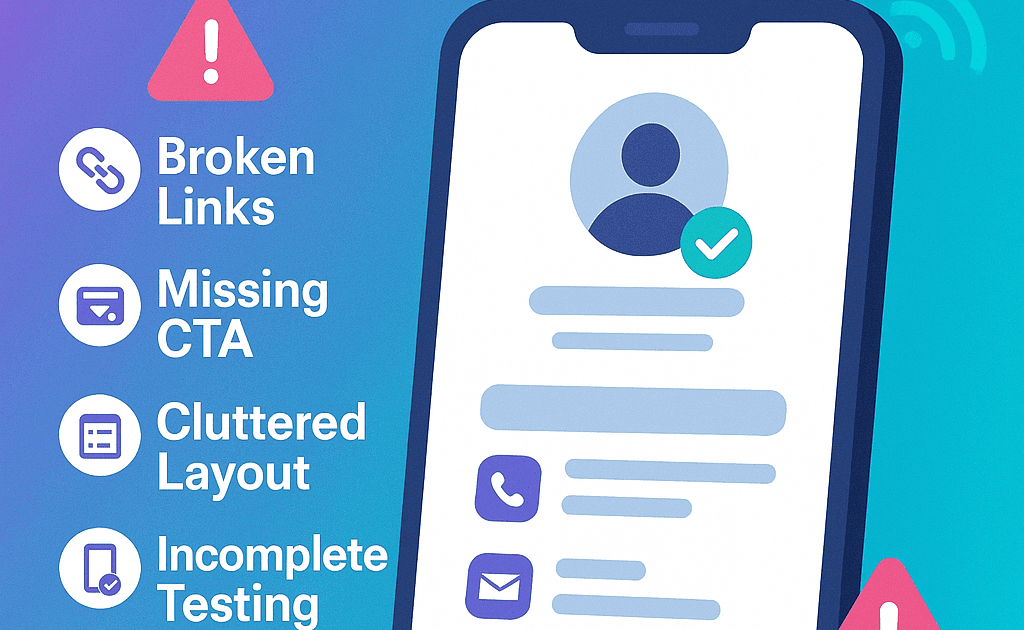
Top 6 Mistakes to Avoid with Digital Business Cards

Digital business cards will be powerful lead-generation tools – if set up and used correctly. Unfortunately, many professionals miss out on opportunities by making avoidable mistakes. With Lets Connect smart cards, you can avoid these pitfalls and ensure every tap, scan, and click works for your brand. By identifying the common digital business card mistakes, you will design reliable and professional NFC and QR cards easily. Smart Business Cards Design Pitfalls – Introduction In 2025, your digital business card is more than just a replacement for paper—it’s your always-on networking assistant. Yet, we see common errors that reduce card performance, from outdated info to missing CTAs. This guide reveals the top 5 mistakes to avoid so your card works harder for you. Quick Take: A great-looking card isn’t enough – it must be actionable, accurate, and optimized. Mistake 1: Outdated or Incomplete Information Nothing kills trust faster than an old job title or broken link which is one of the most common digital business card mistakes. How to fix Incorrect data on Biz Card? Update your profile whenever your title, services, or website changes Double-check social links and calendar integrations Ensure all CTAs point to active, relevant destinations Pro Tip: With Let’s Connect, you can edit your card in real time. Related read: How to Customize Your NFC Business Card for Personal Branding TL;DR: A smart card only works if it stays current. Mistake 2: Skipping the Call-to-Action (CTA) Without a clear next step, most viewers won’t engage further. Tips to fix CTA Errors Add strong CTAs like: “Book a Meeting” “Download My Portfolio” “Leave a Review” TL;DR: No CTA = missed opportunity. Mistake 3: Poor Visual Layout or Clutter An overloaded or poorly designed card is hard to read and less likely to convert. How to fix Poor Visuals? Use clean, mobile-first templates Prioritize name, title, and 1–2 key actions Keep the design visually aligned with your brand identity Related read: Must-Have Digital Business Card Landing Page Elements TL;DR: Clear design = better engagement. Mistake 4: Not Testing Across Devices Just because it works on your phone doesn’t mean it works everywhere. Fixing Test Across Various Devices Test NFC tap and QR scan on multiple devices Use NFC + QR hybrid cards for maximum compatibility Related read: NFC vs QR Code Business Cards – Which to Choose? TL;DR: Test your tech before it costs you a lead. Mistake 5: No Follow-Up System Even the best card won’t bring ROI without follow-up. How to Correct Business Card Design Mistakes? Integrate lead capture (forms, Calendly, WhatsApp) Use analytics to track taps and clicks Set reminders for post-event follow-ups Related read: How to Use Digital Business Cards at Networking Events TL;DR: No follow-up = no results. Mistake 6: Adding Toomuch Information on Smart Cards One of the most avoidable digital business card mistakes is inserting too much information. Most of the people try to include every detail about business, which makes the card look cluttered. Best Business Card Design Digital business card must include essential details like the Name/ business name, Job title/ business category Contact Details – Phone number, email, Website, Social media. Digital Business Cards – Bonus Optimization Tips Save your card to your home screen for quick sharing. Use a custom domain for brand consistency. Embed videos or product demos for extra impact. Add your card link to your email signature. Digital Business Card Mistakes FAQs What should a digital business card include?Name, title, contact info, social media, CTAs, and branding. How often should I update my card?Whenever your details change—ideally every 30–60 days. What’s the #1 mistake?Not having a clear call-to-action. Are Let’s Connect cards editable?Yes – changes are instant and unlimited. Final Thoughts Your digital business card should be a conversion tool, not just a contact method. Avoid these mistakes and optimize every interaction. Understanding digital business card mistakes helps you create flawless NFC and QR business cards that deliver a better networking experience.

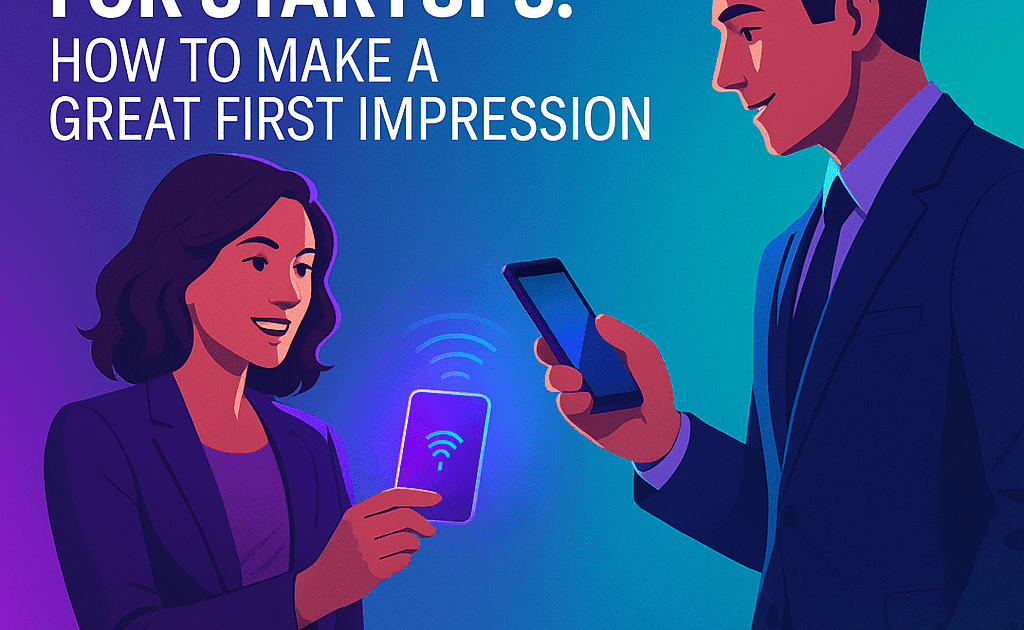
Business Cards For Startups Image

Smart Cards for Startups: How to Make a Great First Impression?

Smart business cards are one of the fastest ways for startups to stand out—delivering interactive, branded, and trackable profiles right into your prospect’s hands. With Let’s Connect NFC and QR cards, you can make a strong, lasting impression from the very first meeting while capturing valuable data for growth. Business cards for startups are more than just contact details – they’re powerful branding tools which help new businesses create strong first impressions. In the early stages of business, every interaction matters, and a well-designed business card can communicate professionalism, innovation, and credibility in seconds. Startup Business Cards Introduction First impressions can determine whether your startup secures funding, lands a client, or fades into the background. In 2026, paper business cards feel outdated – they can’t showcase your brand’s innovation or adaptability. LetsConnect smart cards offer a modern, eco-friendly alternative that combines NFC tap technology and QR codes to share dynamic, media-rich profiles instantly. TL;DR: Your startup’s business card should project the future, not the past. 1. Look Professional from Day One Cheap, static print cards don’t convey innovation. A Let’s Connect smart card: Shows digital fluency and forward thinking Works on any smartphone without an app Links to your live, editable profile or landing page Choose a design that fits your startup’s style—whether you’re tech-driven, creative, or corporate. Related read: Why Paper Business Cards Are Obsolete in 2025 TL;DR: First impressions happen before you speak—let your card speak for you. 2. Share More Than Just Contact Info Turn your business cards for startups​ into a mini pitch deck: Embed product demo videos or explainer clips Link to your investor pitch, case studies, or product landing page Direct prospects to Notion docs, LinkedIn, Calendly, or your startup website Related read: Must-Have Digital Business Card Landing Page Elements TL;DR: Your smart card becomes a portable media kit. 3. Contactless & App-Free Networking Every NFC+QR Startup Business card is built for frictionless sharing: NFC tap-to-connect QR code scanning Fully mobile-optimized, no app download needed Perfect for investor meetings, accelerators, pitch competitions, and networking events. TL;DR: Share your startup instantly, without barriers. 4. Track & Improve First Impressions With startup business cards built-in analytics, you can track: Profile views and link clicks Which events or locations delivered the best results What content drives the most engagement This allows you to refine your pitch and outreach strategy in real time. Related read: Smart Business Cards ROI for Professionals & Brands TL;DR: Data transforms networking from guesswork into a growth strategy. 5. Reinforce Your Brand Identity Make sure your card embodies your brand: Use your logo and brand colors Choose a custom domain (e.g., yourstartup.link) Match fonts, tone, and visuals to your website and socials Related read: How to Customize Your NFC Business Card for Personal Branding TL;DR: Every scan should feel like an extension of your brand. 6. Equip the Entire Team Give every team member a personalized Startups smart card: Founders link to pitch decks and investment forms Sales teams send product links and booking pages Marketing teams drive traffic to social channels and review platforms Manage and update all cards from a central dashboard for brand consistency. TL;DR: Everyone becomes a brand ambassador. Business Cards for Startups with NFC & QR​ – FAQs Are smart cards good for startups?Yes—especially for branding, lead capture, and professional credibility. Can smart cards replace traditional cards?Absolutely. They’re reusable, eco-friendly, and far more interactive. Do I need technical skills to set it up?No. Let’s Connect cards are easy to set up and customize. Can we order for the whole team?Yes. Bulk orders with centralized management are available. Final Thoughts Your startup’s first impression is your brand’s opening pitch – make it interactive, memorable, and measurable. Choose the best business cards for startups designs and impress your clients very quick. 👉 Create Your Smart Card Today and start turning introductions into opportunities from day one.

How Sales Teams Can Increase Conversions Using Nfc Cards Min

How Sales Teams Can Increase Conversions Using NFC Cards?

NFC business cards for Sales Teams can supercharge sales performance by instantly sharing contact details, directing prospects to booking links, and delivering product demos – all with a single tap. With Lets Connect smart cards, sales teams can capture more leads, remove friction, and track engagement in real time. NFC Smart Cards for Sales Teams – Introduction In sales, every second between meeting a prospect and capturing their interest matters. Traditional paper business cards are passive and forgettable. NFC smart cards, on the other hand, are interactive and trackable, turning introductions into conversion opportunities. With Let’s Connect NFC-enabled cards, your team can instantly connect, send prospects exactly where you want them to go, and gather data to close deals faster. TL;DR: NFC cards eliminate networking delays and create instant sales opportunities. 1. Share Contact Details in Seconds No typing. No lost cards. No awkward follow-ups. Just Tap/ scan your NFC Business Cards for Sales teams for: With Let’s Connect smart cards: Tap to instantly save your details QR code backup for non-NFC devices No app required for the recipient Perfect for meetings, trade shows, or cold outreach. Related read: How NFC Technology Works in Modern Business Cards TL;DR: Make saving your contact as easy as tapping a phone. 2. Turn Your Card Into a Sales Funnel An NFC card is more than a contact point – it’s a conversion gateway. You can embed: “Book a Demo” button via Calendly WhatsApp or email CTAs for instant conversations Direct links to product pages or pricing guides Every interaction moves the prospect toward a decision. Related read: Must-Have Digital Business Card Landing Page Elements TL;DR: One card, one tap, one step closer to closing. 3. Track Engagement in Real Time Sales managers and reps can see: Who tapped the card Which links they clicked The exact time of engagement This data allows sales leaders to adjust messaging, prioritize high-intent leads, and track ROI across the entire team. Related read: Smart Business Cards ROI for Professionals & Brands TL;DR: Real data drives better sales decisions. 4. Personalize Your Follow-Up Knowing what a prospect viewed helps tailor your outreach: Reference the product or service they clicked Send targeted offers Prioritize hot leads for immediate follow-up This level of personalization increases response rates and accelerates sales cycles. TL;DR: Follow up with precision, not guesswork. 5. Keep Sales Profiles Always Updated In fast-moving sales environments, job roles and offers change quickly. With Let’s Connect: Update titles, numbers, or offers in seconds No reprints or outdated contact info Keep branding consistent across the team Related read: Why Paper Business Cards Are Obsolete in 2025 TL;DR: Your card evolves as your sales strategy does. 6. Scale Smart Tools Across the Team Roll out NFC cards for: SDRs, Account Executives, and Business Development Managers Franchise or multi-location sales teams Manage all cards from a central dashboard, ensuring consistent branding and measurable performance. TL;DR: Smart teams sell smarter with smart tools. NFC Business Cards for Sales Teams – FAQs How do NFC cards help sales teams?They enable instant contact sharing, direct CTAs, and performance tracking—crucial for modern sales. Can I include booking or quote links?Yes. You can embed demo booking, pricing, and product pages. Are NFC cards better than printed ones?Yes. They’re reusable, trackable, editable, and more engaging. Can managers oversee all cards?Yes. Let’s Connect offers centralized control and analytics. Final Thoughts Empower your sales team to connect faster, follow up smarter, and close more deals with Let’s Connect NFC business cards. NFC digital cards are transforming how sales teams connect, follow up, and close deals. Instead of handing out traditional paper cards, sales representatives can simply tap their NFC-enabled card on a prospect’s smartphone to instantly share contact details, product brochures, demo links, and booking pages. 👉 Get NFC Business Cards for Sales Teams and turn every introduction into a conversion.

Shopping cart close