Lets Connect (UK)

High-Quality TikTok Display Cards for Your Business

Elevate your brand with TikTok Display Cards designed to boost engagement, drive results, and seamlessly integrate your TikTok presence into tangible, innovative marketing tools. Whether you’re a creator, advertiser, or brand, these interactive cards combine bold designs with powerful NFC and QR code technology to captivate your audience and enhance your networking strategy. Key Highlights Boost your TikTok engagement with direct, instant profile access. Integrate QR codes and NFC technology for seamless content sharing. Leverage eco-friendly networking solutions with sleek, durable materials. Stand out with bold, interactive design elements tailored to your brand. Introduction In the world of dynamic social media marketing, TikTok has emerged as a game-changer for businesses, creators, and influencers. Pairing your TikTok profile with a physical TikTok Display Card bridges the gap between online content and real-world engagement, making it easier than ever to connect with your audience. Crafting Your TikTok Display Card Your TikTok Display Card is more than just a marketing asset—it’s a gateway to stronger connections and better visibility. Here’s how to make it work for you: Brand Information: Add your business name, logo, and tagline to reinforce identity. TikTok URL or QR Code: Enable instant profile or ad access with a scannable code. Interactive CTAs: Use calls-to-action like “Follow Us on TikTok” or “Scan for Exclusive Offers.” Dynamic Design: Incorporate bold colors, brand visuals, and interactive stickers. Boosting Engagement with TikTok Display Cards Engagement is the key to TikTok success, and our display cards simplify audience interaction: Tap or Scan: Recipients simply tap the NFC card or scan the QR code to view your TikTok content instantly. Direct Connection: Send followers directly to videos, ads, or campaign landing pages. Interactive Features: Add discount codes, countdown timers, or special offers. Perfect For: Creators growing their audience. Brands boosting awareness and conversions. Advertisers running TikTok ad campaigns. Designing the Perfect TikTok Display Card Use Bold Colors: Align with TikTok’s visual style and your brand’s identity. Include Clear CTAs: Guide users with phrases like “Tap to Explore” or “Follow Us on TikTok.” Eco-Friendly Materials: Use recyclable and sustainable options to align with your brand values. Why TikTok Display Cards Work? Convenience: One tap or scan instantly connects users to your TikTok profile. Memorable Impressions: Stand out with unique, interactive designs. Measurable Results: Track QR scans to monitor campaign performance. Printing and Materials Choose quality and durability for a lasting impact: Premium Printing: High-resolution, vibrant colors for a professional look. Custom Finishes: Matte, glossy, or textured to match your style. Eco-Friendly Choices: Recycled materials and soy-based inks available. How to Use TikTok Display Cards Effectively? Networking Events: Distribute to engage your audience in real-time. Retail Locations: Place cards at checkout counters to encourage immediate follows. Direct Mail Campaigns: Add cards to mailers for a physical-to-digital connection. Order Your TikTok Business Cards Today Transform your networking and social media marketing with TikTok Display Cards. Designed for creators, advertisers, and businesses, our cards deliver high engagement, sleek branding, and seamless connectivity. Order now and take your TikTok strategy to the next level!
Create Digital Business Card Img

Simple Guide to Create a Digital Business Card – Dimensions, Thickness & Technologies

With the growing popularity of contactless networking, many professionals/ businesses are now switching to digital business cards to make stronger connections and leave a modern impression. Making smart card is very simple and can be done in just a few steps using online tools or digital business card platforms. In this guide, you can understand how to create digital business card quickly and effectively. So that you can share your details easily and build better professional connections. 🚀 How to Create a Digital Business Card like a Pro? Creating a digital business card is a modern and eco-friendly way to share your professional information seamlessly. With platforms like Let’s Connect Card, the process is straightforward, customizable, and designed for maximum networking impact. Here’s a step-by-step guide to help you create your own interactive, NFC-enabled business card. 1. Choose the Right Platform Begin to Create Digital Business Card by selecting a reliable provider that offers high-quality NFC and QR code business cards. Let’s Connect Card provides fully customizable options for individuals, teams, and businesses across various industries. 2. Select a Professional Card Design Browse through our exclusive design collections, including Basic, Silver, Gold, Diamond, and Platinum tiers – each offering unique aesthetics and premium finishes. Your choice should align with your personal brand or company identity. 3. Customize Your Information Once you’ve chosen your design, add your professional details: Full Name: Display your name prominently for easy recognition. Job Title: Clearly define your expertise or role. Contact Information: Include your phone, email, and other communication channels. Company Logo: Upload your brand logo to strengthen brand recall. Social Media Profiles: Add links to LinkedIn, Instagram, YouTube, and other professional platforms. For example, our LinkedIn Business Card is perfect for career networking. 4. Incorporate Interactive Elements Enhance your digital business card’s functionality with interactive features: NFC Technology: Enable tap-to-share on NFC-compatible devices. QR Code: Generate a QR code that links to your digital profile, portfolio, or website. 5. Review and Finalize Preview your digital business card to ensure accuracy and visual appeal. Adjust colors, fonts, and layouts to perfectly match your brand identity. 6. Place Your Order Proceed to checkout and choose from single or bulk ordering options. LetsConnectCard offers worldwide shipping, ensuring you can start networking smarter in no time. 7. Share Your Digital Business Card Once you create digital business card online, share it effortlessly: In Person: Tap your NFC card on a smartphone or let others scan your QR code. Online: Add your card link to email signatures, social media bios, and virtual meeting profiles. Bonus Tips to Design & Create Custom Business Cards Here are some additional tips to create digital business cards online. It is not mandatory however these tips will help you make your card more unique, and professional. 1. Digital Business Card Dimensions Choose the standard business card size based on your Country. These sizes can be suggested by considering the standard wallets and holders. There is a slight difference in the country wise Digital business card sizes. It might be as follows: US (United States) and Canada prefer 3.5″ x 2″ inches Or 88.9 mm x 50.8 mm. All other countries like UK or Europe prefer using 3.35″ x 2.17″ Or 85mm x 55mm 2. Business Card Template Selection Choosing the right digital business card template/ design is an important step when creating a professional and attractive card. A good template helps you design a card quickly while maintaining a clean and professional look that represents your brand/ professionalism. 3. Using Upgraded Technologies – NFC Tap & QR Code To upgrade your networking, use the Modern digital business card techniques such as NFC (Near Field Communication) or QR codes. This will help for the contactless sharing and instant networking. 4. Consider Smart Digital Card Thickness People always prefer slim cards, especially while enabling NFC technology or QR codes, it’s good to consider the card thickness. It effects its durability, appearance, and how comfortably it fits in wallets or card holders. Most digital business cards are designed to be slightly thicker than the traditional paper cards because they may also embedded with NFC chips or other technology components. Well-balanced thickness ensures the smart card remains strong, or long-lasting without feeling bulky. Typical Digital Business Card Thickness is 30 mil (0.76 mm) 5. Smart Card Material Compatibility Most of the smart digital business cards made from materials like PVC, metal, durable plastic. Before buying Digital business cards online, you should check if the material is compatible to hold NFC chips/ provides better protection. How to Make a Digital Business Card? – Conclusion By following these steps, you can create a personalized, professional, and efficient digital business card that reflects your brand and helps you connect effortlessly. Embrace the future of networking with Let’s Connect Card – where technology meets meaningful connections.

Eco-Friendly Networking: How Digital Business Cards Help Save the Planet?

In today’s digital age, businesses and professionals are shifting towards eco-friendly alternatives that align with sustainability goals. One such innovation gaining traction is the digital business card — a modern, paperless alternative to traditional business cards. At Let’s Connect Card, we are redefining the way professionals network. Connect, and exchange information while making a positive impact on the environment with eco friendly digital networking solutions. Environmental Problems with Traditional Business Cards Traditional business cards have long been a networking staple, but they come with significant environmental drawbacks: Deforestation: Over 7 million trees are cut down annually for business card production. Paper Waste: Around 90% of business cards are thrown away within a week of receiving them. Carbon Footprint: The printing, transportation, and disposal of paper business cards contribute to pollution and energy consumption. In a world striving to reduce carbon emissions and waste, transitioning to eco-friendly digital business cards offers a smart and sustainable alternative. How Digital Business Cards Help to Save the Planet? Digital business cards are not just a modern networking tool – they also contribute to environmental sustainability. By replacing traditional paper cards with digital alternatives, businesses can significantly reduce waste and protect natural resources. Here are the key ways digital business cards help save the planet: Paper-Free Networking Digital business cards eliminate the need for physical printing, reducing paper consumption and minimizing the demand for tree cutting. Zero Waste, Zero Clutter No more stacks of paper cards piling up on desks or being discarded into landfills. Smart Business Cards provide an organized and clutter-free solution for networking. Lower Carbon Footprint Unlike printed cards that require manufacturing, shipping, and distribution, Let’s Connect NFC business cards are instant, reusable, and accessible from any device. It is the main reason behind why digital business cards comes under eco friendly digital networking. Instant & Real-Time Updates Unlike paper cards that become outdated with a job change or contact update, custom NFC cards can be edited anytime without needing to reprint. This saves resources, money, and time. Sustainable Business Branding Companies that use eco-friendly business cards show commitment to sustainability, boosting their brand image and attracting environmentally conscious clients and partners. Why Choose Lets Connect Digital Business Cards? At Let’s Connect Card, we provide customizable, interactive, and NFC-enabled digital business cards that: Allow seamless sharing via NFC tap or QR code. Support 30+ customizable templates to match your brand identity. Work on any device — no app required! Include password-protected sharing for secure networking. Help businesses reduce their environmental impact with sustainable networking solutions. Eco Friendly Digital Networking – Make the Switch Today! Switching to Let’s Connect digital business cards is a simple yet powerful step toward sustainable networking. Say goodbye to paper waste and embrace a smarter, eco-conscious way to connect! Get your digital business card today and start networking smarter and greener.

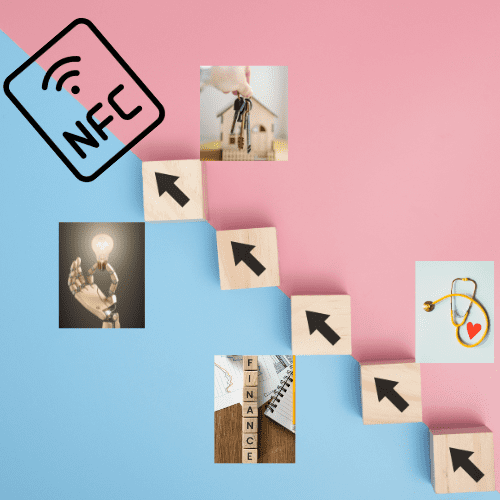
Top Industries Using Nfc Business Cards Image

10 Industries That Can Benefit From NFC-Enabled Business Cards

Near Field Communication (NFC) is widely used across various industries. Since it enables secure, fast, and contactless data exchange. Businesses/ industries are increasingly adopting NFC to improve the customer experience, simplify payments, and enhance networking. From retail payments and healthcare systems to networking and marketing, NFC continues to drive innovation across fields. As digital transformation grows, more industries are expected to adopt NFC-powered solutions for convenience, efficiency, and smarter customer experiences. Let’s explore the major top industries using NFC technology in the form of Digital Business Cards. 10 Industries That Can Benefit from NFC-Enabled Business Cards In today’s fast-paced digital landscape, effective networking is crucial across all sectors. NFC-enabled business cards provide a modern, contactless way to share information — simply tap and connect. At Lets Connect Card, we create Smart Business Cards that combine NFC and QR code technology for maximum versatility. Here are 10 industries that can gain the most from upgrading to NFC-powered networking. 1. Sales & Marketing Sales and marketing professionals live by relationship-building and lead generation. With NFC Business Cards, they can instantly share: Portfolios & case studies Promotional materials Digital Business Card links No more missed opportunities — every interaction becomes trackable and conversion-ready. 2. Real Estate Property agents can link clients directly to: Live property listings Virtual tours Instant contact and WhatsApp chats An NFC Smart Card gives buyers immediate access without juggling paper brochures. 3. Technology – #3 Among Top Industries using NFC Tech professionals need tools that reflect innovation. NFC-enabled cards allow sharing of: GitHub or portfolio links Project showcases LinkedIn and conference details Ideal for networking at tech expos and industry events. 4. Healthcare Doctors, specialists, and medical reps can share: Clinic location maps Booking forms Professional credentials With NFC Medical Cards, patients can save details directly to their phone. 5. Finance Bankers, advisors, and consultants can securely share: Service overviews Compliance documents Meeting booking links Perfect for client trust-building and instant follow-ups. 6. Event Planning Planners and coordinators can offer tap-to-view access to: Service menus Past event galleries Contact and booking forms An NFC card becomes both a marketing tool and a portfolio in your pocket. 7. Education Lecturers, coaches, and academic consultants can link students to: Learning resources Credentials and research papers Social and professional profiles Educator NFC Cards ensure smooth academic networking. 8. Creative Industries Artists, designers, and musicians can showcase: Art portfolios Social channels Merchandise or booking links An NFC Creative Card makes every interaction an opportunity to impress. 9. Hospitality Hotel managers, travel agents, and restaurant owners can share: Menus or booking portals Loyalty programs Review request forms like Google Review Cards Boost guest engagement instantly. 10. Consulting Business and management consultants can deliver: Case studies Service packages Calendar booking links A tap-based Smart Business Card ensures clients get the full picture instantly. Final Thoughts From real estate to creative arts, NFC business cards redefine professional networking. At Lets Connect Card, our customizable smart cards ensure your details are always up-to-date and instantly shareable – no printing, no waste, no missed leads. NFC technology is transforming the way businesses interact with customers and manage operations. Whether it’s enabling contactless payments, improving customer experiences, or simplifying networking through digital business cards, it continues to reshape Top Industries using NFC, and modern business interactions. With the rise of smart networking tools like NFC-enabled digital business cards, professionals can share information instantly and create more meaningful connections. As adoption grows, NFC will continue to drive innovation across multiple industries. Get Your NFC Business Card Today

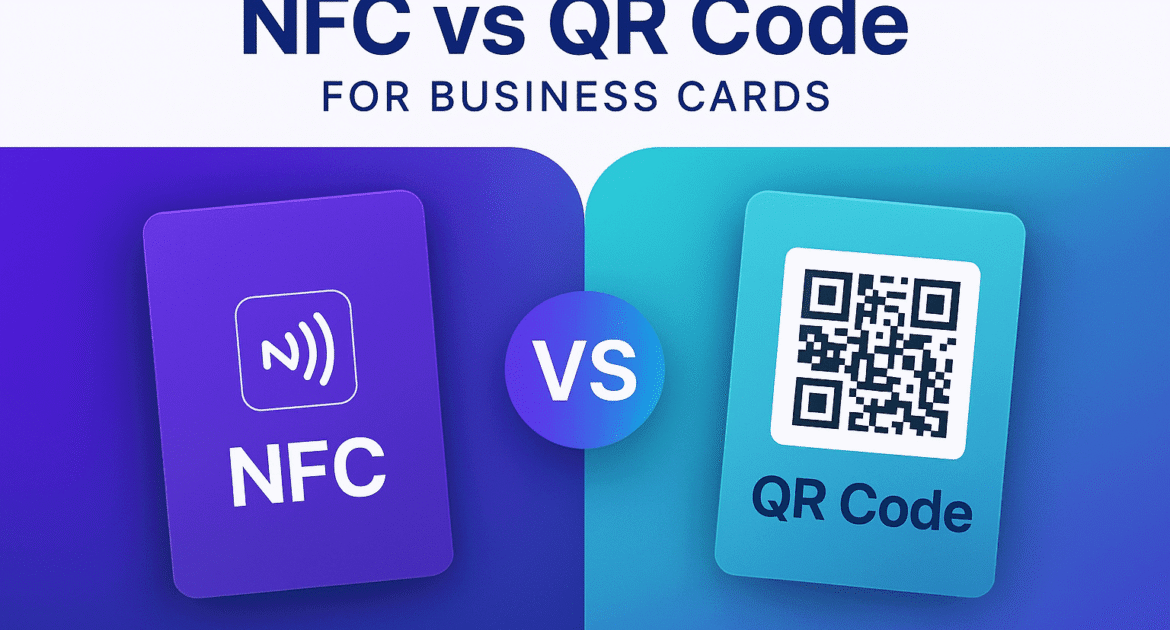
Nfc Vs Qr Code Image

NFC vs QR Code for Business Cards: Which One Should You Choose?

Both NFC Business Cards and QR Code Business Cards offer contactless sharing, but NFC provides tap-based, app-free interaction while QR codes offer broader device compatibility. NFC is ideal for premium, high-speed networking, while QR codes are cost-effective and universal. Choose NFC Vs QR Code based on the audience, budget, and branding goals. NFC Vs. QR Code Business Cards As digital networking evolves, professionals face a key decision: Should you use NFC or QR code business cards? Both technologies allow seamless, contactless sharing of your profile, but each comes with its own strengths. In this guide from Lets Connect, we’ll break down the pros, cons, and ideal use cases to help you choose the right smart business card solution. Best part? All Lets Connect Smart Cards come with both NFC and QR code functionality built-in, giving you the power to connect with anyone, anywhere—regardless of the device they use. NFC Vs QR Code – Quick Comparison Table Feature NFC Business Card QR Code Business Card Interaction Tap-to-connect Scan-to-view Device Compatibility Most modern smartphones All smartphones with camera Speed Instant (1 second) Slightly slower (2–3 seconds) Appearance Sleek, tech-forward Versatile & printable App Required No No Reusability Yes Yes Offline Functionality Yes (stored locally) Requires connection Cost Slightly higher Low-cost to free Best For Networking, brand impact Broad accessibility, cost savings What Is an NFC Business Card? An NFC (Near Field Communication) Business Card lets users share contact information by simply tapping the card to a compatible smartphone. It works just like contactless payment. Near Field Communication Business Cards – Key Features Tap-based contactless sharing No app needed Instant access to full digital profile What Is a QR Code Business Card? A QR Code Business Card contains a printed or digital QR code that leads to your profile when scanned using a smartphone camera. QR Business Cards Key Features Works with any smartphone Easy to share online or print Ideal for menus, events, and flyers Advantages of NFC Business Cards Frictionless Networking – Tapping is faster and more intuitive than scanning. Premium Brand Experience – Ideal for executive, luxury, or tech-forward presentations. Reusable & Durable – Embedded in high-quality materials that don’t degrade. Works Offline – Data can be stored locally and accessed without internet. Advantages of QR Code Business Cards Universally Accessible – Works with any smartphone camera. Budget-Friendly – Lower cost makes it ideal for startups, students, and bulk use. Easy to Print Anywhere – Add your QR code to flyers, invoices, banners, or posters. Editable Links – Dynamic QR codes from Lets Connect allow updates even after printing. Which One Should You Choose? – QR Vs NFC Choose NFC if: You want a premium, modern networking tool Your audience has modern smartphones Brand experience is a priority Choose QR Code if: You want mass distribution or low-cost entry You plan to use it in print material or events Your audience may not be tech-savvy NFC Business Card Vs QR Code FAQs Are NFC cards better than QR cards?They offer different benefits. NFC is faster and sleeker, while QR codes are more universally accessible and affordable. Can I have both in one card?Yes! All Lets Connect Cards combine NFC and QR codes for the best of both worlds. Do I need an app to use either?No apps required for either technology. Are both environmentally friendly?Yes. Both are reusable, paperless alternatives to traditional business cards. Final Conclusion Looking for the best of both worlds?Lets Connect Smart Business Cards come with both NFC + QR code technology to ensure no opportunity is missed. Shop Smart Business Cards Now

Nfc Security Features Image

Top Security Features of NFC Technology in Digital Business Cards

As networking becomes more digital, security has become a major concern for professionals and businesses. Near Field Communication (NFC) technology used in digital business cards is designed with several built-in security features that help protect user data while ensuring seamless contact sharing. Unlike traditional paper cards that can be easily copied or misused, NFC-enabled digital business cards offer controlled, secure, and contactless information sharing. Below are some of the top NFC security features that make technology reliable for professional networking. Security Features of NFC Technology in Digital Business Cards In today’s digital age, exchanging contact information has moved far beyond paper cards. Near Field Communication (NFC) technology has emerged as a secure, modern method for sharing Digital Business Cards – offering both convenience and robust protection for your data. At Lets Connect Card, our Smart Business Cards (NFC + QR Code) are built with industry-leading security features that help professionals network confidently. 1. Proximity-Based Communication NFC works over very short distances — usually just a few centimeters. This close-range requirement reduces the risk of unauthorized interception, as data can only be exchanged when two devices are intentionally brought together. Why it matters: You have full control over when and where your information is shared. 2. User Initiation and Consent One of the most important NFC security features is user-controlled activation. Data only transfers when you actively tap your NFC Business Card against another device, ensuring the exchange is intentional. Benefit: No accidental or unsolicited sharing of your personal or business details. 3. Secure Element (SE) Validation Many NFC-enabled devices include a Secure Element (SE) — a dedicated chip designed to securely store and process sensitive data like encryption keys. Why it matters: This hardware-level protection helps prevent unauthorized access or manipulation of your stored contact information. 4. Encryption and Data Protection With encryption protocols in place, NFC transmissions can be protected from interception and tampering. Any data sent — whether it’s a URL, contact details, or links to your Digital Profile — remains secure during transfer. 5. Limited Data Storage on NFC Tags NFC tags on business cards typically store minimal information — often just a secure link to your profile. This reduces the potential impact of a breach, since no large data sets or sensitive files are stored directly on the card. 6. Compatibility with Secure Applications NFC integrates with secure platforms, allowing added layers of protection like two-factor authentication or biometric verification. For example, pairing your Pro Business Card with a secure CRM or lead capture form can help ensure your networking process is both seamless and protected. Why Security Matters for Digital Business Cards? The digital business cards have transformed the way professionals share contact information. Instead of exchanging traditional paper visiting cards, you can now share their details instantly through NFC tap, QR codes, or simple links. While this modern approach makes networking faster and more convenient, NFC card security becomes an essential factor in protecting personal and business information. A secure digital business card ensures that the information you share is protected, authentic, and accessible only in the way you intend. Security isn’t just a feature – it’s a trust factor. When you hand over your Smart Business Card, you’re not only sharing your professional identity but also signaling that you value data privacy and secure interactions. Protecting Personal/ Professional Information. Safe Contactless Sharing. Preventing Unauthorized Access. Avoiding Fraud & Fake Profiles. Control Over Your Information. NFC Security Features for Business Cards – Conclusion NFC technology combines speed, convenience, and strong security measures to make networking smarter and safer. By choosing a secure solution like Lets Connects NFC-Enabled Smart Business Cards, you can confidently share your details knowing your data is protected. The utmost security features in modern digital business cards enabled for our LetsConnect premium cards. By choosing secure digital business card solutions, professionals can enjoy the benefits of modern networking while keeping their personal and business information protected. Shop NFC Smart Business Cards

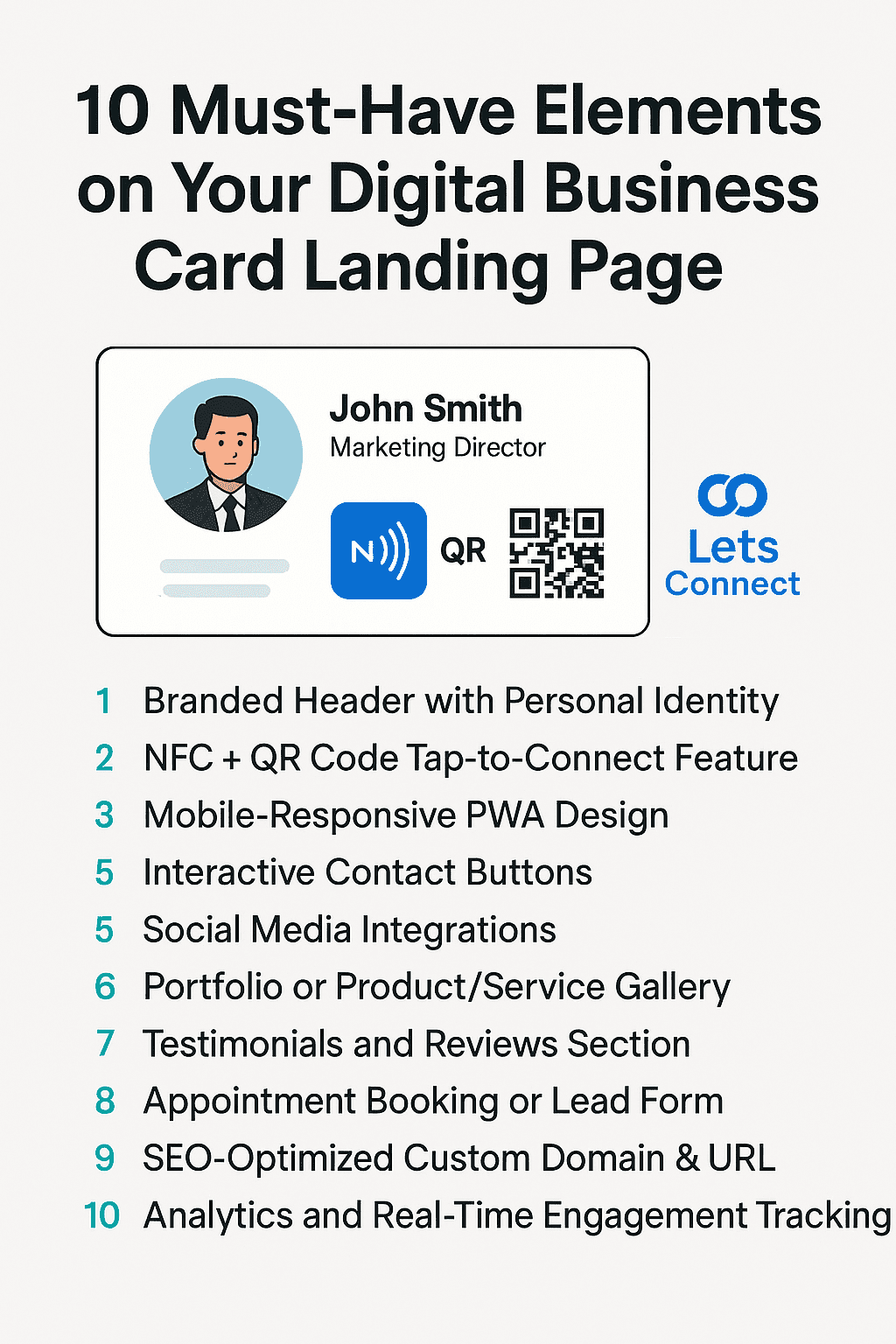
Digital Business Card Landing Page Must Have Elements

10 Must-Have Elements on Your Digital Business Card Landing Page

A high-converting Digital Business Card Landing Page should include a personalized brand header, NFC/QR functionality, social links, testimonials, service portfolios, appointment booking, mobile-first design, and SEO-optimized custom domains. These elements drive engagement, enhance trust, and improve digital networking outcomes. Digital Business Card Landing Page Structure In today’s contactless, mobile-first world, digital business card landing pages have replaced traditional paper handouts. But not all digital cards are created equal. If you want to leave a memorable impression, generate leads, and boost professional trust, your landing page needs strategic optimization. This guide outlines the 10 must-have features for your digital business card landing page, based on best practices from Lets Connect – the UK’s leading provider of NFC Business Cards and smart identity solutions. 1. Branded Header with Personal Identity Your header is the new handshake. Include: High-resolution profile photo or company logo Full name and professional title A concise tagline (e.g., “Helping Startups Build with Confidence”) Why it matters: This area sets the tone and builds instant trust. Lets Connect allows users to fully customize this section, with dynamic themes and custom domain integration. 2. NFC + QR Code Tap-to-Connect Feature The engine behind smart networking. Include: NFC tap functionality QR code placement with a short CTA (“Scan to Connect”) Dual compatibility for iOS and Android Why it matters: These features provide frictionless connections without apps. Every Lets Connect Tap Business Card is built for this. 3. Mobile-Responsive PWA Design Looks and behaves like an app. Include: Mobile-first design (fast loading, no zooming) Works as a PWA (Progressive Web App) Add-to-home screen prompt Why it matters: Mobile-first pages have higher engagement rates. Lets Connect landing pages are PWA-enabled by default. 4. Interactive Contact Buttons Make reaching you effortless. Include: Tap-to-call One-click email WhatsApp / Telegram / Calendly buttons Why it matters: Reduces friction and improves conversions. Keep these above the fold. 5. Social Media Integrations Your trust signals, on display. Include: Linked icons for LinkedIn, Instagram, YouTube, and Facebook Optional embeds (YouTube video intro or Instagram carousel) Why it matters: Builds authenticity and social proof. Use: LinkedIn Business Cards Instagram Business Cards 6. Portfolio or Product/Service Gallery Turn views into interest. Include: Visuals of past work Product images, reviews, or use cases Scrollable gallery or embedded reels Why it matters: 70% of buyers engage more with visual content. Lets Connect supports video and Instagram embeds in profile templates. 7. Testimonials and Reviews Section Proof that sells. Include: Google Review Card embed or Trustpilot badge 1–3 short client quotes with names and logos Why it matters: Builds trust and increases conversion by up to 34%. 8. Appointment Booking or Lead Form Drive action, not just attention. Include: Calendly, Google Calendar, or integrated booking form Lead capture form (name, email, interest) Why it matters: Turns your page from passive to conversion-ready. 9. SEO-Optimized Custom Domain & URL Look professional, rank better. Include: Branded domain (e.g., yourname.cards or yourbiz.page) SEO-friendly URL path (/about, /book-call, /contact) Why it matters: Lets Connect enables custom domain mapping to improve search visibility. 10. Analytics and Real-Time Engagement Tracking Smart data for smart networking. Include: Click tracking Profile visit data Conversion metrics Why it matters: Data-driven networking = faster ROI. Lets Connect provides these insights in real time. Virtual eCard Landing Page – FAQs What is a digital business card landing page?A mobile-optimized personal page showcasing your contact details, portfolio, social profiles, and interactive elements like QR codes and NFC tap — all shareable with a single tap or scan. Do I need an app to use Lets Connect?No. Lets Connect works with any smartphone browser. Can I link my digital card to my own domain?Yes. Lets Connect supports branded domain linking. Are digital business cards eco-friendly?Absolutely. They’re reusable, paperless, and reduce waste. Can I track engagement on my digital card?Yes. You can monitor views, clicks, and conversions via the Lets Connect dashboard. Final Conclusion If your digital business card doesn’t include these 10 must-haves, you’re missing out on leads, visibility, and brand impact. Upgrade your digital identity with Lets Connect NFC Business Cards – where networking meets innovation. Explore NFC Business Cards Now

Paper Business Cards Are Dead

Why Paper Business Cards Are Obsolete in 2026 & Future?

Paper business cards are becoming obsolete in 2026 due to digital transformation, sustainability concerns, poor ROI, and limited functionality. Smart alternatives like NFC Business Cards and QR Code Business Cards offer real-time updates, analytics, and seamless contactless sharing. Introduction Once the go-to tool for professional networking, paper business cards are rapidly becoming a thing of the past. In 2026, the shift toward smart, digital alternatives is not just a trend – it’s a necessity. With advancements in contactless technology, increased demand for eco-friendly practices, and the dominance of mobile-first communication, it’s time to rethink your networking tools. Here’s why paper business cards are officially obsolete – and what forward-thinking professionals are using instead. The Digital Shift Is Inevitable In a world dominated by smartphones, cloud software, and digital-first experiences, physical cards feel outdated. Business professionals expect instant, interactive, and mobile-compatible solutions. Outdated: Static information Easy to lose No way to track engagement Upgraded with LetsConnect: Tap-to-share NFC Cards or scannable QR Code Cards Analytics and engagement tracking Update anytime, from anywhere Sustainability Matters Shocking Stats: Over 10 billion business cards are printed annually 88% are thrown away within a week Switching to Digital Business Cards helps reduce paper waste, carbon emissions, and ink usage. Lets Connect offers a fully reusable alternative that supports eco-conscious branding. No ROI from Paper Cards Traditional cards don’t convert. They sit in drawers or end up in bins. No analytics. No feedback. No follow-up. With Lets Connect Smart Cards, you get: Real-time insights Click tracking Instant lead capture This is networking with measurable ROI. Modern Tech Requires Modern Tools Smartphones now dominate professional interaction. Your paper card can’t: Link directly to your portfolio Connect to LinkedIn or WhatsApp Schedule a meeting in one tap Digital business cards like our Pro Business Cards do all of this and more, transforming how contacts engage with you. Contactless Expectations Post-COVID Even post-pandemic, hygiene matters. Contactless networking is now a permanent professional norm. Digital cards = safer, smarter, and cleaner. Personalization & Live Updates Paper cards are static. If your job title, number, or brand changes, you have to reprint everything. With Lets Connect: Update your card in real-time Toggle sections on or off Add new links, services, or promotions instantly 2026 Trends That Make Paper Cards Obsolete NFC + QR Integration – Now standard on modern smart cards Custom Domains – Replace generic URLs with branded profiles Analytics Dashboards – Know who clicked what, and when App-free Access – No downloads needed Lets Connect leads this innovation with dynamic NFC and QR business cards. Why Paper Business Cards Dead? – FAQs Are paper business cards still effective?Not in 2026. They lack interactivity, real-time updates, and tracking. Why are digital business cards better?They’re cost-effective, eco-friendly, trackable, and customizable. Do people still use paper business cards?Some do, but adoption of smart cards is growing rapidly due to digital convenience. Can I replace my paper card with Lets Connect?Yes. You can switch to a fully digital, reusable smart card with NFC + QR technology. Final Conclusion Say goodbye to waste, missed opportunities, and static contact info. Upgrade to a smart digital business card from Lets Connect — and redefine the way you network in 2026.

Business Cards For Networking Events Img

Pro Tips to Use Digital Business Cards at Networking Events Effectively

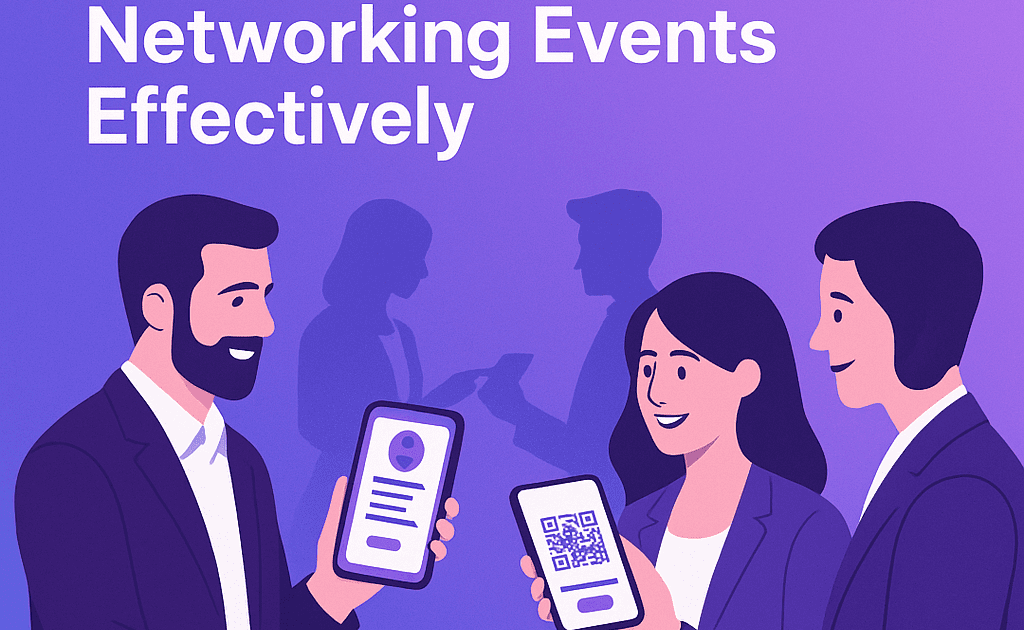
Using digital business cards at networking events enhances engagement, saves time, and provides trackable results. With features like NFC tap, QR scan, and live profile updates, you can connect instantly, collect leads, and make memorable impressions. Learn how to make effective usage of business cards for networking events, tips and tricks revealed here. Digital Business Cards At N/w Events In the fast-paced world of networking events, conferences, and trade shows, first impressions matter. And in 2025, that first impression is likely made with a tap or scan. Digital business cards have revolutionized how professionals exchange information. Whether through NFC or QR code, platforms like Lets Connect make sharing your brand, portfolio, and contact details easier and smarter. Here’s how to use your digital business card effectively at networking events to maximize connections and follow-ups. 1. Prepare Your Card Before the Event Before walking into a networking space: Update your photo, title, and company logo Add recent achievements, links, or case studies Ensure your contact buttons (call, email, WhatsApp) are working Link your LinkedIn and Instagram profiles With Lets Connect Digital Cards, you can update your profile in real time and even customize layouts per event. 2. Save Your Card to Your Home Screen Install your card as a PWA-enabled profile on your mobile phone. Why? Faster access = smoother interaction No need to search your inbox or bookmarks Looks like an app, runs like a web profile 3. Use NFC or QR to Share Instantly Whether you carry a Tap Business Card or display your QR Code Business Card: Hold your card near the recipient’s phone to trigger your profile Show your QR code for them to scan Share without any apps or downloads 4. Offer Value in the First 10 Seconds Instead of just saying “Here’s my card,” try: “Scan this to check my portfolio.” “Tap this to save my contact and schedule a meeting.” “Here’s my profile with case studies from recent work.” 5. Collect Leads Effortlessly Use integrated forms or WhatsApp on your card to gather: Names Emails Company details Follow-up preferences You can also embed Google Forms or Calendly into your Pro Digital Business Card. 6. Track Engagement Post-Event Unlike paper cards, smart cards let you see: Who clicked your profile Which links were opened When and where scans/taps happened Use Lets Connect Analytics to optimize future outreach and segment leads. 7. Follow Up With Personalization The real power of digital networking is in the follow-up. Use the captured data to: Send a tailored email Reference exactly what they showed interest in Share your Calendly booking link for a call Bonus Tips Carry a physical NFC Business Card as a conversation starter Use a branded lanyard or badge QR code Add your profile link to the event app or virtual booth Leverage Google Review Cards if you’re a service provider Business Cards for Networking Events – FAQs Can I use digital business cards without internet?Yes. NFC works offline. QR codes need internet to load the page. Do attendees need an app to scan or tap?No. Everything is app-free with Lets Connect. What makes business cards for networking events better?They’re faster, trackable, updateable, and eco-friendly. Can I see who opened my profile?Yes. Lets Connect provides real-time analytics. Final Conclusion Maximize every handshake, tap, and scan. With Lets Connect Smart Business Cards, your next event could generate more leads, faster connections, and stronger impressions than ever before. Create Your Smart Business Card Now

Digital Business Cards Roi

The ROI of Smart Business Cards for Professionals & Brands

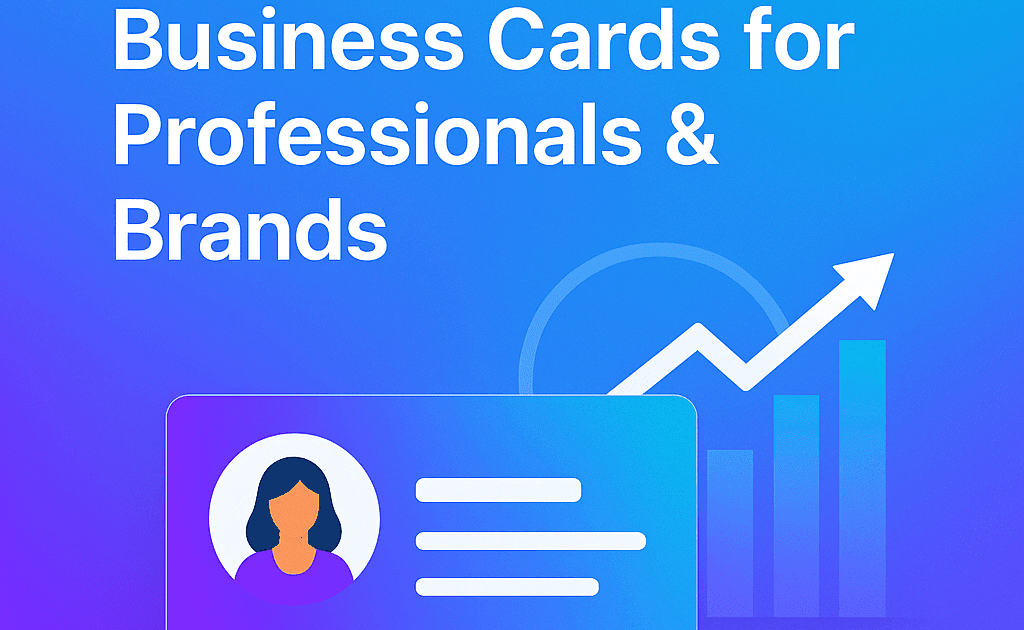
Smart business cards are no longer just a convenient networking tool – they’re an investment with measurable returns. By lowering costs, increasing conversions, and providing trackable engagement, they give professionals and brands a performance advantage. Digital Business Cards ROI refers to the value and benefits businesses gain compared to the cost of using NFC+QR business cards. Unlike traditional paper cards, digital cards provide measurable results such as increased connections, easier sharing, and better brand visibility. Return on Investment of Digital Business Cards Paper business cards have always been a cost center. Smart business cards flip that model – turning networking into an ROI-positive marketing channel. This guide breaks down how LetsConnect helps professionals and brands see real, long-term returns from their digital business cards. 1. Say Goodbye to Printing Costs Traditional visiting cards require the frequent printing and reprinting whenever your details change. However digital business cards eliminate these recurring costs because you can update information instantly without printing new cards. Traditional Cards: £20–£50 per box. Frequent reprints for job or branding changes. Waste and high reordering frequency. Smart Cards: One-time setup, unlimited shares. Fully editable online—no reprints. Reusable for years. Estimated Savings: 70–90% over 2–3 years. 2. Turn Every Share Into a Conversion Digital business cards can be shared through QR codes, NFC taps, email, social media, or messaging apps, allowing you to connect with more people quickly. This increases the chances of generating leads and business opportunities. Smart cards include: Action buttons: Call, WhatsApp, Book a Meeting Portfolio or demo links Social media integrations Calendar scheduling With Dynamic Business Card templates, you guide prospects straight into your sales funnel. 3. Trackable Analytics = Smarter Marketing Trackable analytics allow businesses to measure engagement, make smarter marketing decisions. Unlike paper business cards, you can measure: Profile views Link clicks Popular CTAs Time of interaction The Lets Connect analytics dashboard helps you refine content, CTAs, and follow-ups for better conversion rates. 4. Build Stronger, Data-Driven Relationships Data-driven insights help businesses understand how people interact with their digital business cards. Knowing what a contact clicked allows for tailored follow-ups. Realtors can track listing interest Sales reps can send targeted offers Event marketers can measure booth performance Related read: Google Review Business Card 5. Strengthen Brand Image & Sustainability A digital card can include logos, social media links, videos, portfolios, and websites, helping you present your brand in a more professional and interactive way. Tech-forward Environmentally responsible Committed to a frictionless user experience They also align with green marketing goals by replacing paper waste. The digital business cards ROI comes from cost savings, better brand visibility and improved networking. 6. Optimize Team & Enterprise Use For companies and agencies: Maintain brand consistency across all team profiles Bulk update employee details Track team-level analytics for performance insights Perfect for Pro Business Card packages. 7. Lifetime ROI, Not One-Off Spend Paper cards are often discarded within days. A smart card continues to generate leads long after an event – because it’s always in your client’s pocket. FAQs of Digital Business Cards ROI Are smart business cards worth it?Yes – they save money, increase conversions, and give measurable data. How do they improve smart business cards ROI?Through real-time edits, analytics, and direct lead capture. Can I use them for teams?Yes – bulk and enterprise solutions are available. Do they need an app?No – just tap or scan to connect. Final Conclusion Your business card should be more than a piece of paper – it should be a measurable performance tool. Overall, investing in digital business cards is a smart and cost-effective decision for modern professionals and businesses as well. They not only streamline networking but also enhance brand presence, making them a valuable tool for long-term business growth. 👉 Explore the Digital Business Cards ROI and see how every connection can become a conversion.

Shopping cart close